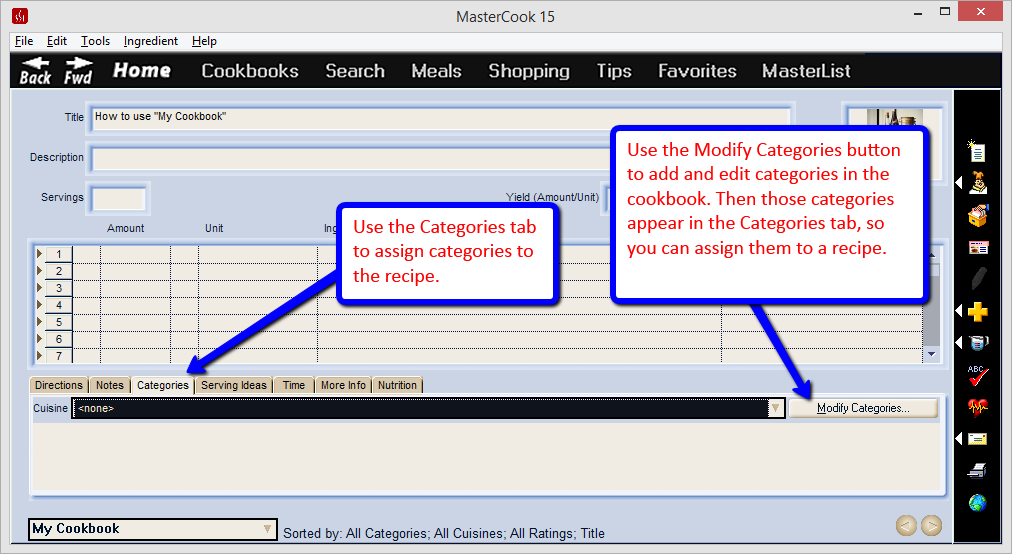
In MasterCook on the computer, you store recipes in cookbooks, just like in real, published cookbooks at a bookstore. Within a cookbook, you can assign categories to the recipe. To assign or change a category of a recipe, open the recipe in the recipe edit screen and use the Categories tab.
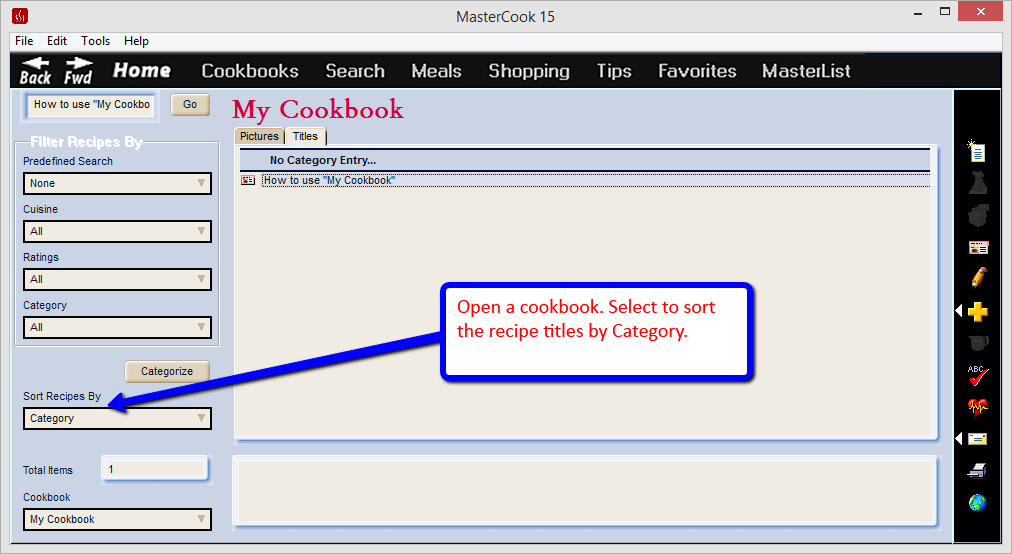
If you open a cookbook so you are looking at the recipe titles, along the left of the screen you can select to Sort Recipes By: Categories. Just above that, you can press the Categorize button. This is an additional way to categorize your recipes. You can select multiple recipe titles in this screen and categorize several recipes at once.
0 Comments